
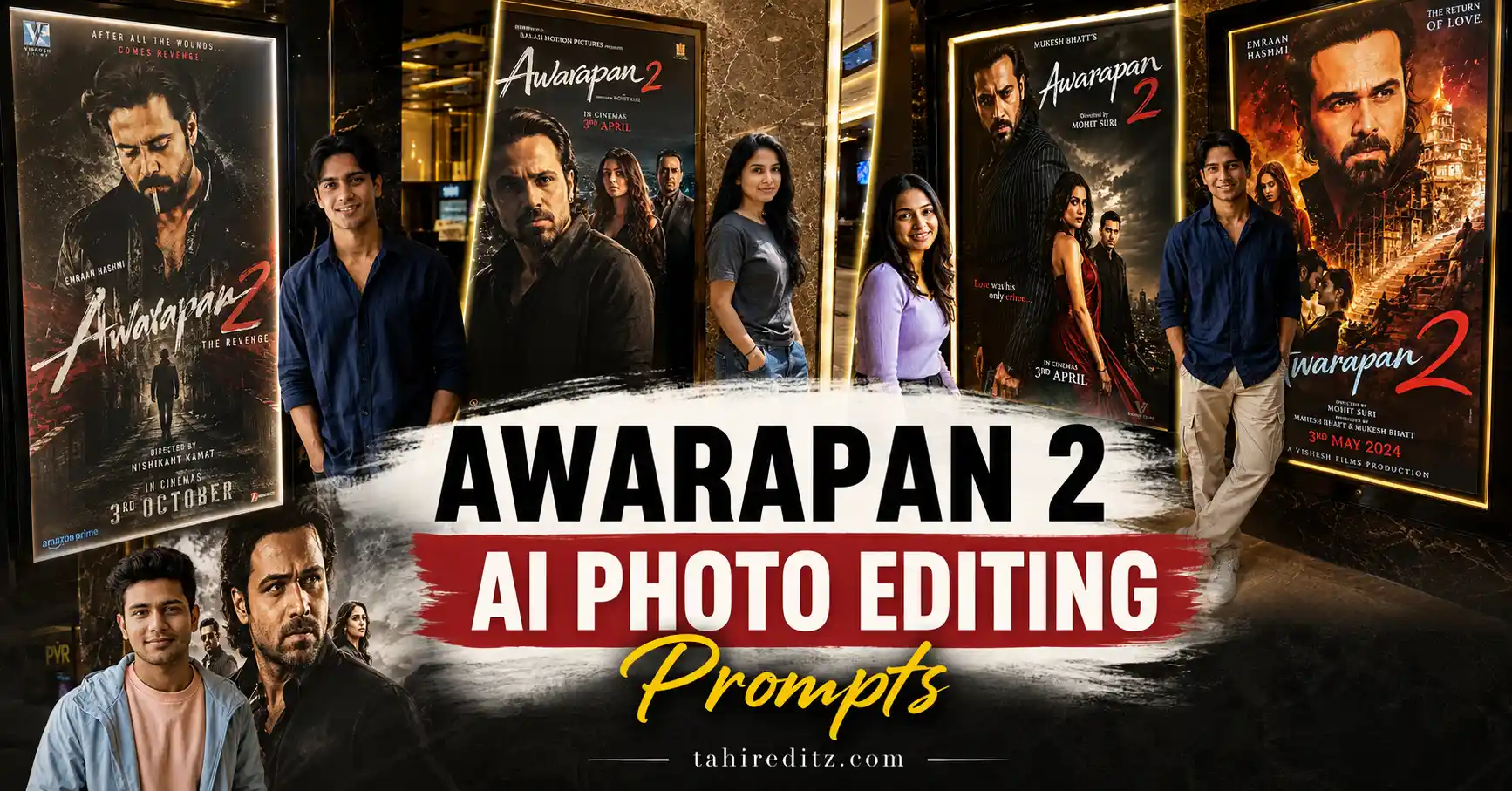
If you are an Awarapan 2 fan and want to create a stylish movie-style photo with your own picture, AI photo editing can help you do it in a few simple steps.
You can use your own photo as a reference and create a realistic scene where you are standing beside the Awarapan 2 movie poster inside a premium cinema lobby.
In this article, I am sharing 5 fresh Awarapan 2 AI photo editing prompts. These prompts are made for realistic results and work well with AI image editing tools that support reference images.
 Collage White Outdoor Photo Editing Prompt 2026
You can try these prompts with your favorite AI image editor and create a cinematic photo for Instagram, Facebook, WhatsApp Status, or your personal collection.
What Are Awarapan 2 AI Photo Editing Prompts?
Awarapan 2 AI photo editing prompts are ready-to-use instructions that tell an AI image tool how to create a movie-style photo using your reference image.
You simply upload your photo and paste one of the prompts below.
 5 Best Gemini Tahir Editz Prompts for boys 2026
The AI will use your photo as the identity reference and create a new cinematic scene around it.
For the best result, use a clear photo where your face is properly visible.
1. Awarapan 2 Cinema Lobby Photo Prompt
 3 viral Handshake With Lord Mahadev Photo Prompt 2026
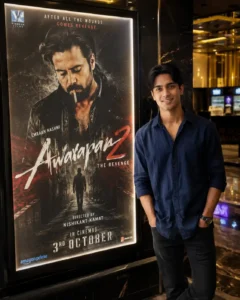
This prompt is perfect if you want a simple and realistic photo standing beside the Awarapan 2 poster.
Use the uploaded photo as a STRICT IDENTITY REFERENCE.
Keep the person’s face, facial features, hairstyle, skin tone, natural expression, body proportions and overall identity clearly recognizable. Do not change the face, reshape facial features, add beauty filters, change age or create an artificial-looking face.
Create an ultra-realistic cinematic photograph of the person standing naturally beside a large illuminated Awarapan 2 movie poster inside a premium Indian cinema lobby.
The person should stand slightly beside the poster so that the main movie artwork and title remain clearly visible. Give the person a simple and natural pose with relaxed body language and a confident but realistic expression.
Keep the original hairstyle and clothing from the uploaded photo.
The Awarapan 2 poster must remain unchanged. Do not redesign or recreate the poster. Preserve Emraan Hashmi, the movie title, typography, colors, artwork, background and important visible details exactly as shown in the reference.
Create a premium cinema environment with dark marble walls, polished flooring, warm golden lights, realistic glass reflections and a soft cinematic background.
Maintain realistic hands, fingers, body proportions, shadows and lighting.
The final image should look like a real DSLR photograph taken inside a premium Indian multiplex.
Ultra-realistic photography, 8K Ultra HD, HDR, natural skin texture, sharp facial details, realistic shadows, realistic reflections, cinematic depth of field, professional photography quality.
Aspect Ratio: 4:5 vertical.
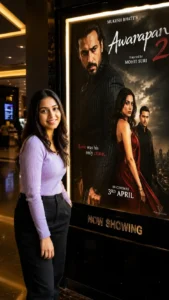
2. Awarapan 2 Stylish Poster Photo Prompt
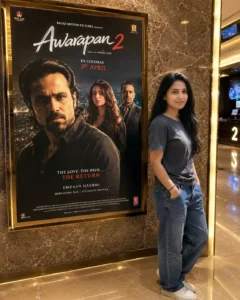
Want something a little more stylish? Try this prompt.
 Mirror Selfie Photo Prompts 2026
Use the uploaded photo as the STRICT IDENTITY REFERENCE.
Preserve the person’s exact identity, face shape, facial proportions, hairstyle, skin tone, natural facial details and body proportions. Keep the person clearly recognizable as the same individual from the uploaded photo.
Do not beautify the face, reshape facial features, change age, replace the face or create an artificial skin texture.
Create a high-quality ultra-realistic photograph inside a luxurious Indian multiplex cinema lobby.
Place a large illuminated Awarapan 2 movie poster on a premium textured marble wall. The person from the uploaded photo is standing naturally next to the poster with a stylish but simple pose.
The person should look directly at the camera with a calm and confident expression. Keep the original outfit and hairstyle from the uploaded photo.
Do not cover the movie title or important poster artwork.
IMPORTANT POSTER LOCK:
Keep the original Awarapan 2 poster completely unchanged. Do not redesign, recolor, regenerate or modify Emraan Hashmi, the movie title, typography, characters, background, colors or visible poster artwork.Use warm cinema lighting, soft golden highlights, realistic wall texture, polished floor reflections and natural shadows.
Make the scene look like a real photograph taken at a premium Indian cinema during a movie promotion.
Professional full-frame DSLR photography, 8K Ultra HD, HDR, realistic skin texture, detailed hair, natural fabric texture, realistic lighting, accurate shadows, cinematic depth of field and subtle background bokeh.
No cartoon, no painting, no CGI, no 3D render and no artificial face.
Aspect Ratio: 4:5 vertical.
3. Awarapan 2 Movie Premiere Style Prompt
This one gives your photo a more premium movie-premiere feeling.
Use the uploaded photo as the STRICT IDENTITY REFERENCE.
Preserve the person’s exact recognizable identity including face shape, eyes, eyebrows, nose, lips, jawline, hairstyle, skin tone, facial texture and natural body proportions.
Do not change the person’s identity. No face swap effect, no face reshaping, no beauty filter, no age modification and no artificial facial features.
Create an ultra-realistic movie-premiere style photograph inside a premium Indian cinema lobby.
A huge illuminated Awarapan 2 promotional poster is displayed behind the person inside a modern cinema frame.
The person should stand naturally beside the poster, leaving the main movie artwork fully visible. Give the person a relaxed and confident pose with natural hands and a subtle expression.
Keep the original hairstyle and clothing from the uploaded photo.
POSTER PRESERVATION:
The original Awarapan 2 poster must remain unchanged. Keep Emraan Hashmi, the movie title, typography, colors, characters, artwork and background exactly as shown in the reference.Create a premium cinema environment with dark walls, warm ceiling lights, polished surfaces, realistic reflections and soft cinematic background blur.
The final result should look like a genuine DSLR photograph taken during a movie premiere or cinema visit.
Ultra-realistic 8K photography, HDR, realistic skin pores, natural hair detail, detailed clothing, accurate lighting, realistic shadows, cinematic depth of field, natural colors and professional movie photography.
No illustration, no painting, no CGI, no plastic skin and no artificial face.
Aspect Ratio: 9:16 vertical.
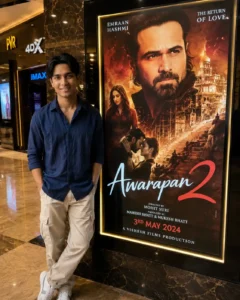
4. Awarapan 2 Fan Photo Prompt
If you want the image to look like a natural fan photo taken inside a cinema, this prompt is a good option.
Use the uploaded photo as a STRICT IDENTITY REFERENCE.
Keep the person’s exact face, facial structure, hairstyle, skin tone, body proportions and recognizable identity unchanged.
Do not change the face, add beauty effects, reshape facial features or modify the person’s age.
Create an ultra-realistic photograph of the person standing beside a giant illuminated Awarapan 2 movie poster inside a premium Indian multiplex.
The scene should look like a real fan photo taken before watching the movie.
The person should stand close to the poster with a simple natural pose and a small confident smile while looking at the camera.
Keep the person’s original clothing and hairstyle from the uploaded photo.
Make sure the person does not cover Emraan Hashmi, the movie title or the important poster artwork.
POSTER LOCK:
Keep the original Awarapan 2 poster exactly as provided. Do not redesign, regenerate, crop, recolor or modify the poster. Preserve Emraan Hashmi, the title, typography, colors, characters and all important visible details.Add a realistic premium cinema environment with marble walls, warm lights, polished floor, realistic reflections and soft background blur.
The image should look like a real photo taken with a high-end DSLR camera, not an AI-generated image.
8K Ultra HD, HDR, photorealistic skin texture, detailed hair, natural clothing texture, realistic shadows, accurate reflections, cinematic bokeh and professional photography.
Aspect Ratio: 4:5 vertical.
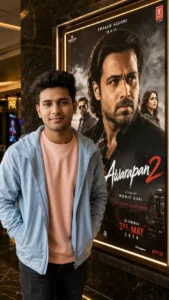
5. Awarapan 2 Cinematic Hero Photo Prompt
For a more dramatic and cinematic look, try this final prompt.
Use the uploaded photograph as the STRICT IDENTITY REFERENCE.
Preserve the person’s exact identity, facial proportions, eyes, nose, lips, jawline, hairstyle, skin tone, natural facial texture and body proportions.
The person must remain clearly recognizable as the same individual from the uploaded photo.
Do not use face swapping, face reshaping, beauty filters, age modification or artificial facial changes.
Create an ultra-realistic cinematic hero photograph inside a premium Indian cinema lobby featuring a large illuminated Awarapan 2 movie poster.
Place the person in the foreground beside the poster with a stylish but natural pose. The person should have relaxed shoulders, natural hands and a calm confident expression while looking toward the camera.
Keep the person’s original clothing and hairstyle from the reference photo.
The Awarapan 2 poster must remain completely unchanged. Do not modify Emraan Hashmi, the movie title, typography, characters, colors, artwork or background.
The poster should remain clearly visible behind the person.
Create a luxurious Indian cinema environment with dark marble walls, warm golden practical lights, realistic reflections, polished surfaces and subtle cinematic atmosphere.
Use natural depth of field so the person looks sharp while the cinema background has a soft cinematic blur. Keep the movie poster readable and clearly visible.
Professional full-frame DSLR photography, 8K Ultra HD, HDR, realistic skin texture, detailed hair, realistic fabric, accurate anatomy, natural colors, cinematic lighting, realistic shadows and premium movie-promotion photography.
No CGI, no illustration, no painting, no plastic skin, no artificial face and no identity drift.
Aspect Ratio: 9:16 vertical.
Best Settings for Awarapan 2 AI Photos
For better results, use these settings when your AI image tool provides them:
- Image Quality: High / Ultra
- Style: Photorealistic
- Lighting: Cinematic
- Reference Strength: High
- Face/Identity Strength: High
- Creativity: Medium or Low
- Aspect Ratio: 4:5 or 9:16
- Resolution: Highest available
For Instagram Reels and Stories, 9:16 is the better choice.
For Instagram posts and other social media posts, 4:5 works well.
Tips to Get Better Results
Use a Clear Reference Photo
Always upload a clear photo. Your face should be visible properly, and the image should not be too dark or blurry.
Keep the Prompt Unchanged
If you want the same type of result, try to use the prompt as it is. Small changes can sometimes change the face, clothes or background.
Use a Simple Pose
Simple poses usually look more natural. Avoid asking the AI to create complicated hand movements or difficult body positions.
Keep the Poster Visible
Ask the AI to keep you beside the poster instead of directly in front of it. This helps keep the Awarapan 2 poster and movie title visible.
Try Multiple Generations
Sometimes the first result may not be perfect. Generate a few versions and select the one with the most natural face, hands and lighting.
Common Problems
Face Does Not Look Like Me
Use a better reference photo and increase the identity/reference strength if your AI tool provides that option.
Poster Gets Changed
AI tools can sometimes change text or movie artwork. Keep the poster preservation instructions in the prompt and use a clear poster reference.
Hands Look Strange
Use a simple standing pose. Avoid complicated hand movements.
Image Looks Too Much Like AI
Add instructions such as realistic DSLR photography, natural skin texture, realistic shadows, physically accurate lighting and natural depth of field.
Final Words
Creating an Awarapan 2 AI photo with your own picture can be a fun way to make a cinematic image for Instagram, Facebook or WhatsApp.
The 5 prompts above give you different styles, from a simple cinema lobby photo to a more cinematic movie-premiere look.
Just upload your photo, paste the prompt, and generate your image. For the most realistic result, always use a clear reference photo and keep the identity-preservation instructions in the prompt.
Try all five prompts and choose the one that gives you the most natural-looking result.