
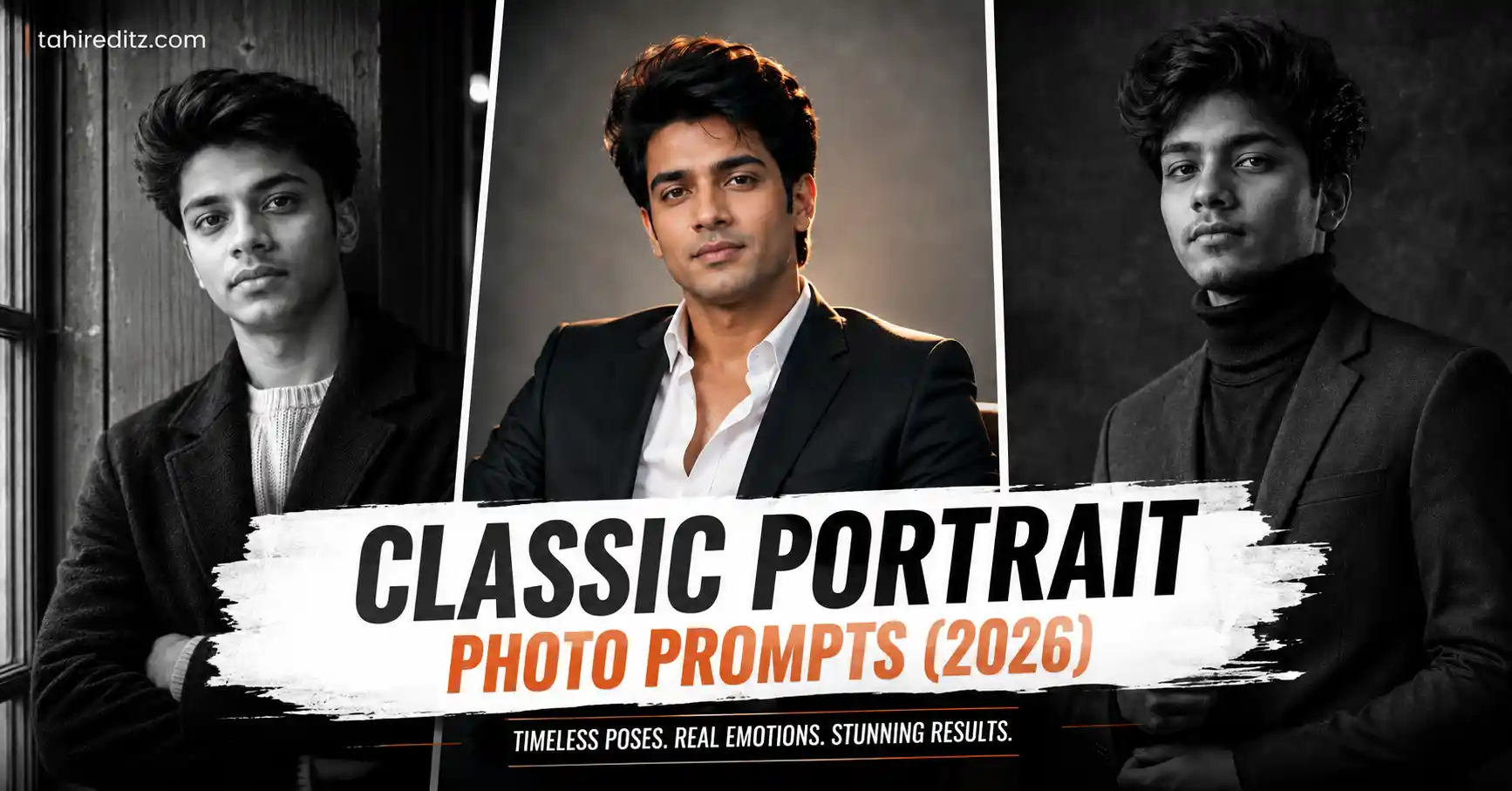
If you’ve been scrolling through Instagram or Pinterest lately, you’ve probably noticed those clean black-and-white portrait photos that look like they came straight from a luxury magazine cover. They’re simple, dramatic, and surprisingly easy to recreate with today’s AI image models if your prompt is detailed enough.
I tried several variations before putting this article together. One thing I noticed during testing was that images generated from slightly blurry selfies often produced softer facial details. Using a sharp front-facing photo and regenerating the image 2-3 times usually gave much cleaner skin texture and better facial accuracy.
Getting Better Results Before You Generate
 Rain AI Photo Prompts 2026
A good portrait starts with a good reference image. Pick one where the face is clearly visible and avoid heavy beauty filters. Natural lighting works much better than dark indoor selfies.
Since this trend focuses on premium editorial portraits, don’t overload your prompt with unnecessary effects. Let the lighting and composition do most of the work.
Classic Portrait AI Prompts
 Trending ChatGPT Photo Prompts 2026
Prompt 1 — Editorial Black & White Portrait
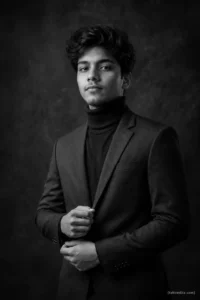
Keep the person’s facial identity exactly the same as the reference image, including hairstyle, skin tone, facial proportions, and natural expression. Create a premium vertical black-and-white editorial portrait with the subject standing confidently, one hand adjusting the jacket cuff while looking slightly past the camera. Dress in a fitted charcoal blazer over a black turtleneck. Background is a dark textured studio wall with subtle depth. Soft overhead key light combined with a gentle side fill creates rich shadows and clean facial definition. Captured in portrait orientation, medium close-up framing, Nikon Z8, 70mm portrait lens, f/2, ultra-detailed skin texture, realistic contrast, HDR, 8K quality, photorealistic, no watermark, place a small “[tahireditz.com]” signature neatly in the bottom-right corner.
Prompt 2 — Luxury Studio Portrait
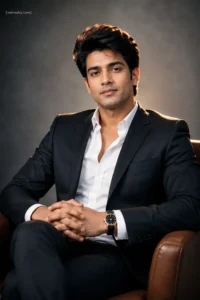
Preserve every facial feature naturally from the uploaded photo without changing identity. Generate a vertical luxury studio portrait where the subject is seated on a modern leather chair with relaxed posture and folded hands. Wear a tailored dark suit with an open-collar white shirt and a premium wristwatch. Matte grey studio backdrop with subtle gradient lighting. A large softbox from camera left and a warm rim light behind the shoulders create cinematic depth. Shot using Sony A7R V, 50mm prime lens, f/2.2, crisp focus, realistic skin pores, magazine-quality editing, ultra HD 8K, portrait orientation, no text except a small “[tahireditz.com]” signature in the upper-left corner.
 3 viral Handshake With Lord Mahadev Photo Prompt 2026
Prompt 3 — Timeless Classic Portrait
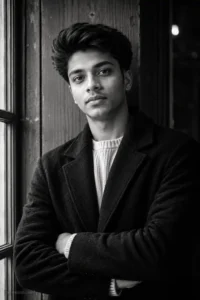
Match the exact face, hairstyle, complexion, and facial characteristics from the reference photo while keeping the appearance completely natural. Produce a vertical fine-art monochrome portrait with the subject standing beside a vintage wooden wall, arms gently crossed, making calm eye contact with the camera. Dress in a textured black overcoat layered over a light knit sweater. Soft window light from one side creates natural contrast while a subtle backlight separates the subject from the background. Canon EOS R3, 105mm portrait lens, shallow depth of field, extremely realistic skin detail, professional editorial finish, HDR, 8K RAW appearance, portrait orientation, no watermark, add a small elegant “[tahireditz.com]” signature in the lower-left corner.
A Few Camera Settings Worth Keeping
Most AI models respond surprisingly well when camera details are realistic instead of exaggerated. These combinations gave me the most consistent results.
- 50mm–105mm portrait lens
- f/2 to f/2.8 aperture
- HDR enabled
- 8K or Ultra HD output
- Portrait orientation
- Natural skin texture
- Editorial-quality lighting
 Mirror Selfie Photo Prompts 2026
Small Tweaks That Change the Final Image
If every generated image looks almost identical, try changing only one element instead of rewriting the entire prompt. Swapping the background, pose, or lighting direction usually creates a fresh result while keeping the same overall style.
I also found that replacing “dramatic lighting” with more specific descriptions like “large softbox from camera left” or “window light with gentle rim lighting” produced noticeably more realistic portraits.
Frequently Asked Questions
Can I use these Classic Portrait Photo Prompts with ChatGPT image generation?
Yes. They also work well with Gemini, Flux, Midjourney, and other modern AI image generators that support detailed prompts.
Do I need a high-quality reference photo?
Yes. A clear reference image improves facial accuracy and keeps important details like hairstyle and skin tone consistent.
Why does the face sometimes look different?
This usually happens when the reference photo is blurry or heavily filtered. Uploading a sharper image and regenerating a few times normally improves the result.
Should I keep the camera settings inside the prompt?
Yes. Camera information often helps AI models create more natural depth, sharper facial details, and better lighting consistency.
Can I change the outfit without changing the face?
Absolutely. Keep the identity-preservation instruction at the beginning of the prompt and modify only the clothing, background, or pose.
Try These Variations
Once you get a portrait you like, don’t stop there. Keeping the same identity and changing only one or two details can give you an entirely different look without losing realism.
- Switch from black-and-white to soft monochrome with subtle silver tones.
- Replace the studio wall with a luxury hotel lobby or modern office.
- Change the outfit from a formal suit to a premium wool overcoat.
- Use warm sunset window light instead of controlled studio lighting.
- Try a low-angle portrait for a stronger executive appearance.
- Add light rain on a window behind the subject for extra mood.
Common Mistakes That Make Portraits Look Fake
Most AI portrait problems come from prompts that try to do too much at once. If you’re seeing plastic skin or strange facial proportions, check these first.
- Using low-quality or heavily filtered reference photos.
- Adding too many lighting styles in the same prompt.
- Mixing multiple camera angles together.
- Overloading the prompt with unnecessary adjectives.
- Using unrealistic beauty terms that remove natural skin texture.
- Forgetting to specify portrait orientation when you want a vertical image.
Works Well With These AI Models
These prompts were written to stay fairly universal, so you don’t need to rewrite everything for each platform.
- ChatGPT Image Generation (GPT Image)
- Google Gemini
- Midjourney V7
- FLUX.1 Dev
- Ideogram
- Leonardo AI
- Adobe Firefly
Final Thoughts
Classic portraits don’t rely on flashy backgrounds or extreme effects. The small details—good facial preservation, balanced lighting, realistic camera settings, and natural posing—make the biggest difference.
If you’re using these Classic Portrait Photo Prompts for profile pictures, portfolio photos, LinkedIn, or social media, start with a clean reference image and make small adjustments between generations instead of rewriting the entire prompt. In my testing, the third generation consistently produced the most balanced facial details, so it’s worth giving the model a couple of extra attempts before settling on the final result.
Tip: Keep every generated image in vertical (portrait) format for the best composition. A 4:5 ratio (1080 × 1350) works especially well for Instagram, Facebook, and most AI image generators.